Identifiable Node
The Identifiable Node is a child node of the Identifiables folder. This folder can be found inside the ReqIF file node and also a SpecHierarchy node that is itself inside an Identifiables folder (explained in more details below) and similarly a Specification node.
When you select an Identifiable node in the Tree Window, the Details Window will update to show information about the selected object. Since the Identifiable node represents a single object in the collection of all Identifiable objects in a ReqIF file, it is more useful to locate the object in the appropriate context for a better understanding of its purpose. This can be done using the Go to feature. Select any Identifiable node and then choose one of the options from the popup menu. More than one option can exist because the Identifiable with the specified identifier can be defined in multiple files within an archive.
Details Window of an Identifiable Node
When you select an Identifiable Node inside the Identifiables folder, the Details Window displays information about the Identifiable. The details that are shown will depend on the type of Identifiable that has been selected. At least the following details are shown since these are common for all Identifiables.
className
identifier
longName
desc
alternativeID
lastChange
The identifier field is hyperlinked. Click on the identifier to navigate to the location of the Identifiable in the Tree Window.
Additional information is shown in the Details Window for the following Identifiable types.
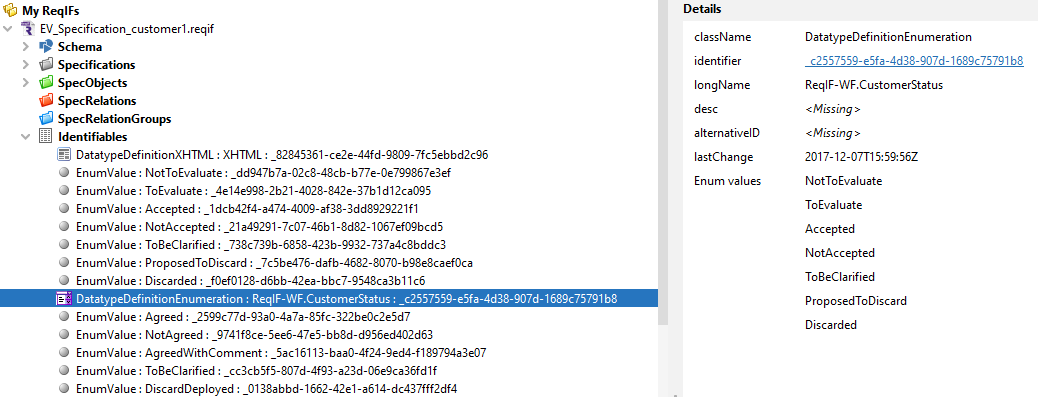
DatatypeDefinition
For any DatatypeDefinition node, you can click on the identifier field in the Details Window to navigate to the DatatypeDefinition node in the DatatypeDefinitions folder.
When a DatatypeDefinitionEnumeration node is selected, the collection of EnumValue objects defined for the DatatypeDefinition are also displayed as EnumValue nodes.
AttributeDefinition
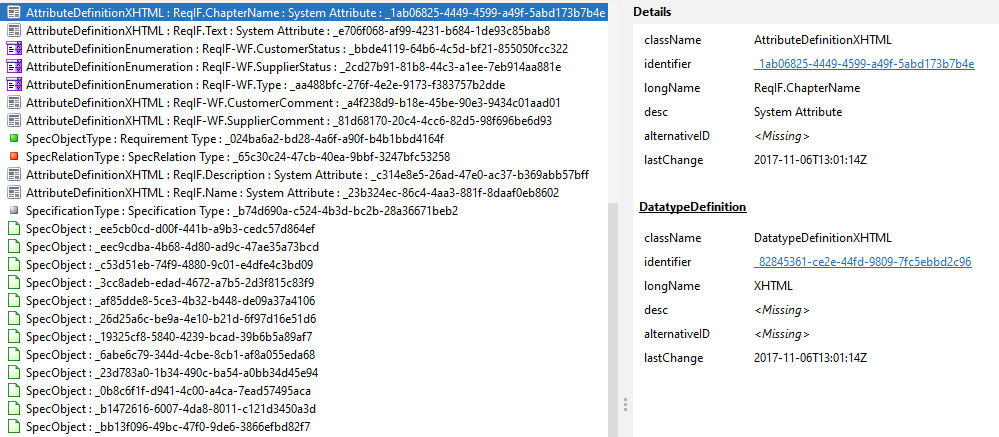
When any AttributeDefinition node is selected, the associated DatatypeDefinition is also shown. Click on the AttributeDefinition identifier to navigate to the SpecAttributes Folder containing the AttributeDefinition. Click on the DatatypeDefinition identifier to navigate to the corresponding DatatypeDefinition node.
SpecObject
When a SpecObject is selected, click on the SpecObject identifier to navigate to the SpecObject node inside the SpecObjects folder. The following additional information is shown:
- The display text for the SpecObject. See here for more information on how the display text for a SpecObject is determined
- The Identifiable properties of the SpecObject.
- The ReqIF filename that contains the SpecObject
- The properties of the SpecObjectType that is associated with the SpecObject. You can click on the identifier of the SpecObjectType to navigate to the SpecObjectType node that is located in the SpecObjectTypes folder.
- The collection of AttributeValues of the SpecObject
- The collection of SpecHierarchy objects that reference this SpecObject. Click on any SpecHierarchy identifier to navigate to the SpecHierarchy node that is located in the Specification SpecObject hierarchy.
- The collection of SpecObjects that are related to the SpecObject through a SpecRelation where the SpecObject is the target.
- The collection of SpecObjects that are related to the SpecObject through a SpecRelation where the SpecObject is the source.
SpecHierarchy
When a SpecHierarchy node is selected, click on the SpecHierarchy identifier to navigate to the SpecHierarchy node that is located in the Specification SpecObject Hierarchy. The following additional information is shown:
- All the additional information described for SpecObject and relating to the SpecObject that is associated with the SpecHierarchy.
If the SpecHierarchy has child SpecHierarchy objects i.e., it is the parent of one or more children, then an Identifiables folder will be visible inside the SpecHierarchy node. This Identifiables folder contains the child SpecHierarchy objects and has all the characteristics and features of the ReqIF file Identifiables folder.
Specification
When as Specification node is selected, click on the Specification identifier to navigate to the Specification node that is located in the Specifications folder. The following additional information is shown:
- The SpecificationType of the Specification
- The collection of AttributeValues of the Specification.
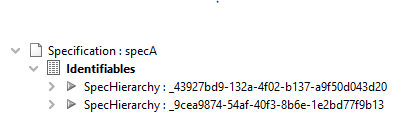
If the Specification has child SpecHierarchy objects i.e., it is the parent of one or more children, then an Identifiables folder will be visible inside the Specification node. This Identifiables folder contains the child SpecHierarchy objects and has all the characteristics and features of the ReqIF file Identifiables folder.
SpecRelation
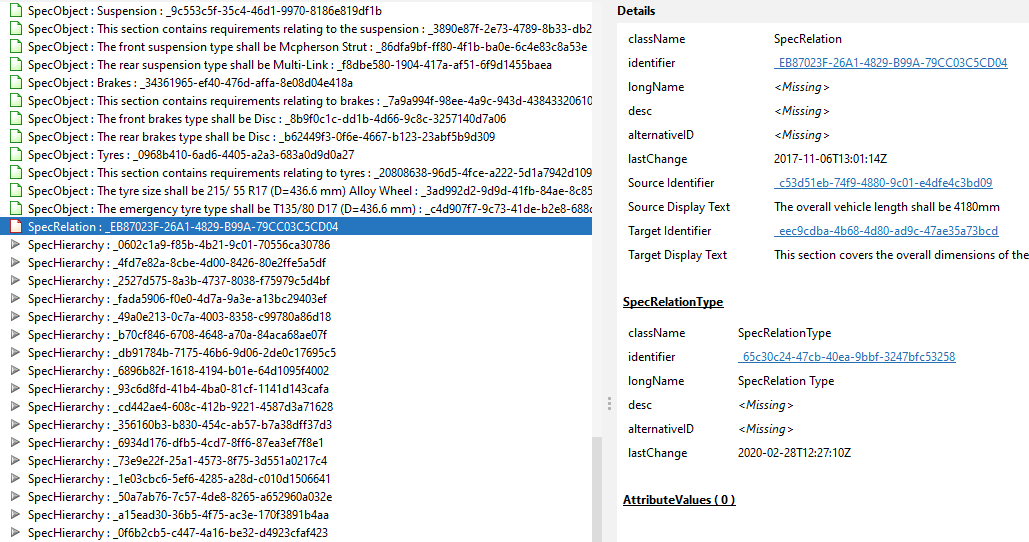
When as SpecRelation node is selected, click on the SpecRelation identifier to navigate to the SpecRelation node that is located in the SpecRelations folder.
The following additional information is shown:
- The SpecRelationType of the SpecRelation
- The collection of AttributeValues of the SpecRelation.
RelationGroup
When as RelationGroup node is selected, click on the Source Specification identifier to navigate to the Specification node corresponding to the source Specification that is located in the Specifications folder. Similarly for the Target Specification.
The following additional information is shown:
- The RelationGroupType of the RelationGroup
- The Source Specification of the RelationGroup
- The Target Specification of the RelationGroup
Note that is it not required that either source or target specification must be defined in the ReqIF.