Details Window
The Details Window will be displayed for each folder or folder item in the Tree Window. The following examples show the details window for a variety of folder items.
Details Window for a ReqIF Archive
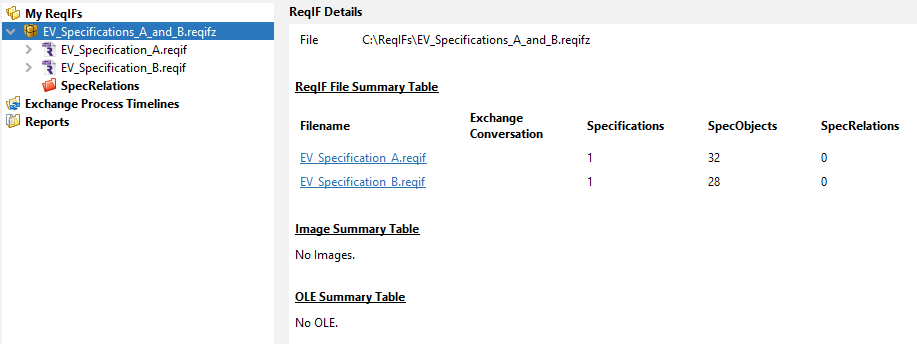
When a ReqIF archive is selected in the Tree Window, the Details Window displays a summary table showing the collection of ReqIF files contained in the archive, along with statistical information about the contents of each ReqIF. For example:
Details Window for a ReqIF File
When a ReqIF file is selected in the Tree Window, the Details Window shows the ReqIF file path, the ReqIF Header and file level summary information.
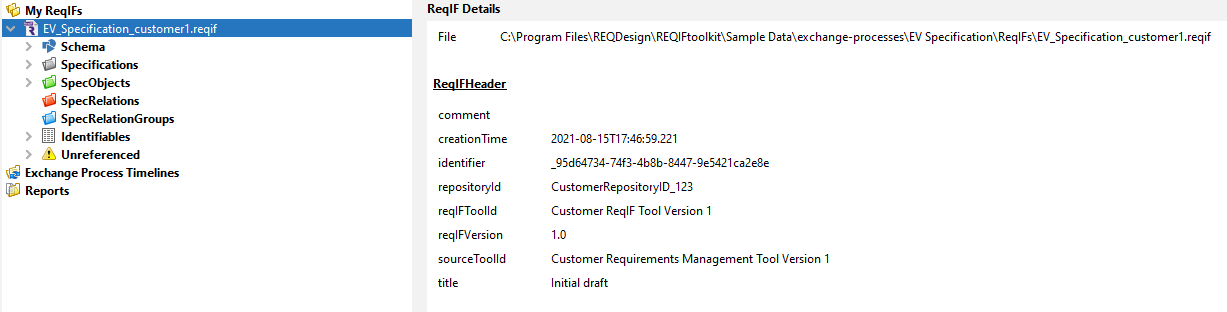
The level of detail presented will vary depending on the contents of the folder or folder item but all Identifiers will feature a hyperlink to aid navigation within the Tree Window.
Details Window for an Identifiable Node
An Identifiable node is one that is contained in a folder and represents a ReqIF object that is a subtype of base type Identifiable. Generally, selecting an Identifiable Node will show the Identifiable Properties for that node
Representation of Blank and Missing ReqIF Elements
In general, and specifically for Identifiable nodes, the Details Window will display ReqIF object property values. Where an object property is optional i.e., a value does not need to be specified, this is differentiated from a blank value being specified using the <Missing> label which is shown in an italicized font.
Representation of Date/Time
To avoid any interpretation of the specified date time values into a local timezone, all such values are shown using verbatim format as specified in the ReqIF.